Truecaller is a caller ID and spam protection app that helps you identify unknown callers and messages. Instead of displaying only an unfamiliar phone number, the app shows who is calling, whether it is an individual, an organization, or a business. With this information, you can decide whether to answer or decline the call before picking up.

Truecaller v26.44.6 MOD APK (Unlocked Gold Membership)
| Name | Truecaller |
|---|---|
| Publisher | Truecaller |
| Genre | Communication |
| Size | 144 MB |
| Version | 26.44.6 |
| MOD Info | Unlocked Gold Membership |
| Get it On |

|
MOD Info
- Unlocked Gold Membership
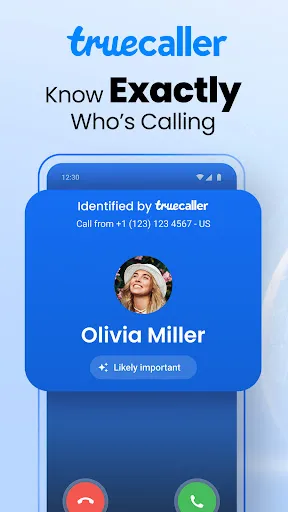

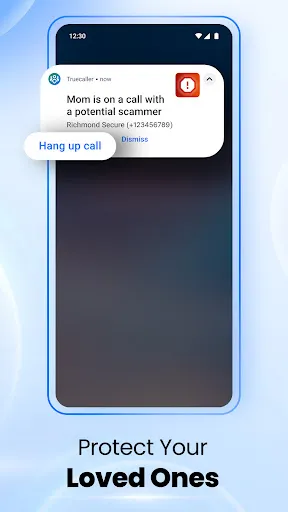
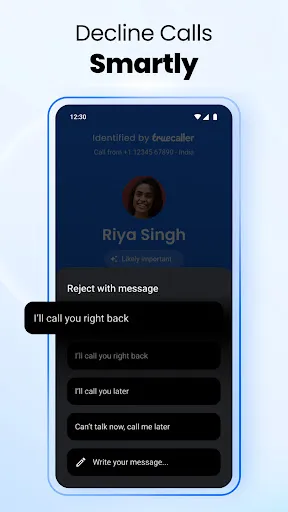

Call Identification – Truecaller’s Core Feature
Truecaller can instantly identify incoming phone numbers that are not saved in your contacts by displaying a small pop-up alongside your phone’s incoming call screen. Instead of showing only an unknown number, the app retrieves information from its cloud-based database and displays a name or label associated with the caller. For example, if a number has been widely reported as unwanted, Truecaller may identify it as “Spam” or display more specific labels such as “Stock Spam”, “Travel Spam”, or similar categories. On the other hand, calls from important everyday services, such as delivery drivers or ride-hailing services, are often identified with the appropriate business or service name, making it much easier to recognize legitimate callers.
This feature allows you to decide whether to answer, ignore, or immediately block suspicious calls before picking up the phone. It also helps reduce the risk of falling victim to scam calls, telemarketing, or other unwanted interruptions. Unlike the built-in option to block all unknown numbers, which may also prevent legitimate calls from delivery services, couriers, or ride-hailing drivers, Truecaller gives you more control by providing useful caller information before you make a decision. As a result, you can avoid unwanted calls while still receiving important ones, making everyday communication both safer and more convenient.
Call History Interface
Truecaller provides a dedicated call history interface that automatically displays identified phone numbers using its caller identification feature. This screen appears as soon as you open the app, allowing you to access your recent calls without any additional steps. Each entry includes detailed information such as the date of the call, whether it was an incoming, outgoing, or missed call, the call duration when available, the phone number, and, most importantly, the caller name or warning label identified by Truecaller.
If a phone number is already saved in your contacts, Truecaller keeps your existing contact name instead of replacing it with the name found in its database. This makes it easy to distinguish between people you know and unknown callers while avoiding unnecessary confusion. The call history interface is especially useful for quickly reviewing recent activity and identifying spam or suspicious numbers that may have tried to contact you.
In addition to viewing your call history, the interface also lets you call the number back, send a text message, or save it as a new contact without leaving the app. This eliminates the need to switch to your phone’s default call log, making everyday communication faster and more convenient. Combined with Truecaller’s caller identification system, the call history feature helps you manage your calls more efficiently while reducing the chances of responding to unwanted or fraudulent callers.
Message Identification in Truecaller
Truecaller extends its identification features beyond phone calls to text messages as well. By opening the app and switching to the Messages section, you can view your conversations with the same caller identification system applied to incoming messages. Just like with phone calls, Truecaller automatically displays the name associated with an unknown number using information from its cloud-based database. If the sender is already saved in your contacts, the app keeps your existing contact name instead of replacing it, making it easy to recognize family members, friends, and other trusted contacts.
To make message management more convenient, Truecaller automatically organizes your messages into several categories, including Inbox, Unread, Transactions, and Spam. Selecting one of these categories filters the message list accordingly, while the Inbox displays all of your messages in a single view. This organization helps you quickly find the conversations that matter most without manually sorting through every message.
In addition, Truecaller includes a dedicated grid-style section that highlights important messages, such as those from banks, mobile carriers, and other essential services. This allows you to access critical information at a glance without searching through your entire message history. Together with its message identification and filtering features, Truecaller provides a more organized, secure, and efficient messaging experience for everyday use.
Download Truecaller MOD APK for Android
The features above are only the basics, yet they account for around 90% of what most users need from Truecaller. More importantly, nearly all of these core features are available to both free and Premium users. Beyond them, Truecaller also offers many additional tools that further improve its ability to identify, block, and manage spam calls and fraudulent messages. Download Truecaller today to protect yourself from spam calls and scam messages.
Download Truecaller
Download (144 MB)You are now ready to download Truecaller for free. Here are some notes:
- Please read our MOD Info and installation instructions carefully for the game & app to work properly
- Read the FAQ carefully for more details
5/5 (2 votes)





Leave a Comment